Transparent washes
Lower visibility gradually. Watercolor may not conceal printed lines, especially in pale passages. A blue or gray guide is a choice to test, not a guarantee of invisibility.
For watercolor preparation
Turn a reference photo into a light outline for your painting. Start with the Watercolor preset, simplify the shapes, and choose how visible the guide should be.
Upload your watercolor reference
JPG, PNG or WebP — drag in or click to browse
Preview your own photo before buying. No account needed.
Exports: $2.99 USD / 24 hours or Studio $7.99/mo USD, billed monthly.
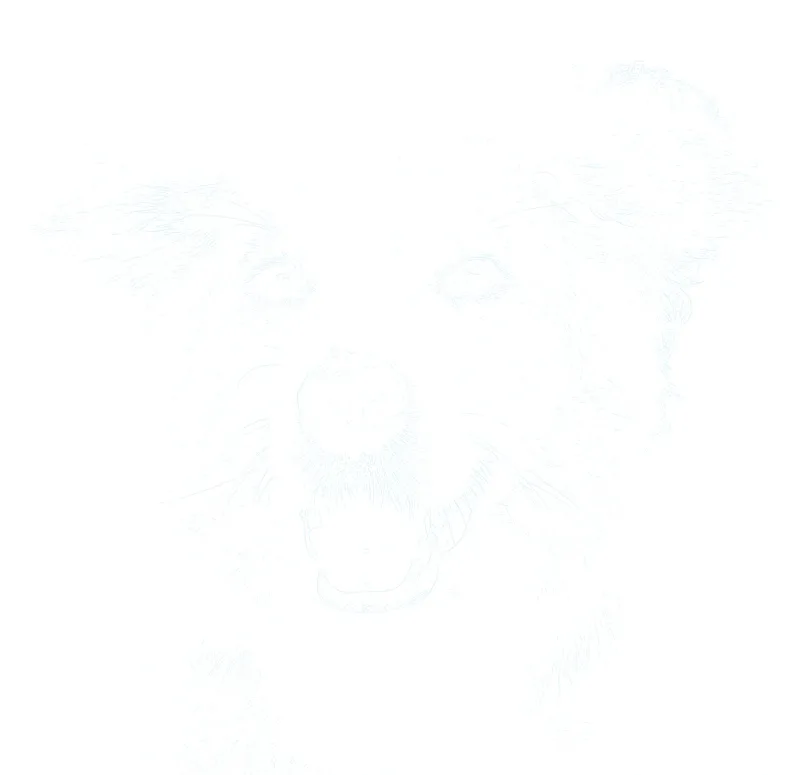

Actual Watercolor settings on a pet reference: a light blue placement guide. Test the ink with your washes or use graphite transfer.
Outline conversion happens on your device.
Explore the workflowA little preparation. More room to create.
Choose the simplest useful shapes, adjust blue or gray line visibility, and include instructions for a graphite transfer if direct printing is unsuitable.
Choose a well-lit reference with readable light and dark areas. The Watercolor preset starts with a faint blue guide; adjust it for your own subject.
Reduce unnecessary texture and check the areas you intend to leave as white paper. Printed guide lines will remain visible wherever your painting does not cover them.
Download a sized PDF or PNG after previewing. Check that the printer supports your paper and test whether its ink bleeds under water. Use a graphite transfer if direct printing is unsuitable.
Notes from the worktable
Lower visibility gradually. Watercolor may not conceal printed lines, especially in pale passages. A blue or gray guide is a choice to test, not a guarantee of invisibility.
Keep the edges that place petals, buildings or the horizon. Leave softer foliage and atmospheric edges for your brush to describe.
Compare the eyes, nose and mouth with the reference before printing. Preserve the shapes you need without outlining every shadow.
It creates an outline to help you paint your own watercolor. It does not generate a finished watercolor effect. Keep the original photograph beside you for color and value reference.
Not necessarily. Transparent paint can leave guide lines visible, and printer ink may bleed. Reduce opacity and test with your actual paper, ink and paints before starting the final painting.
Only if your printer supports the paper’s weight, thickness and size. Check its specifications and feed instructions. Otherwise print onto ordinary paper and transfer a light graphite guide.
Creating and adjusting a watermarked preview is free, with no signup. A $2.99 USD Day Pass unlocks exports for 24 hours without a recurring charge. Studio is $7.99/mo USD, billed monthly. Both unlock PNG, PDF and printing without the watermark.
Preview first. Choose an export plan when your guide feels right.
Made something with Sketchso? Share your artwork.
Upload your watercolor reference