- 1Your photo
- 2Your outline
- 3Print & export
Printable outline generator
Image to Outline Converter
Turn an image into an outline or line drawing. Simplify the background, keep the contours that matter and choose a line color, then save a PNG or prepare a sized print.
Studio $7.99/mo USD, billed monthly. Preview and adjust free, with no account needed.
Choose a photo to begin
Drag and drop your image here
Supports JPG, PNG, WebP • Max 10MB
Choose a clear reference
Good light and a simple background make cleaner lines.
Keep the lines you need
Compare three options, then adjust or erase details.
Print when it feels right
Check your result, then choose a download pass.
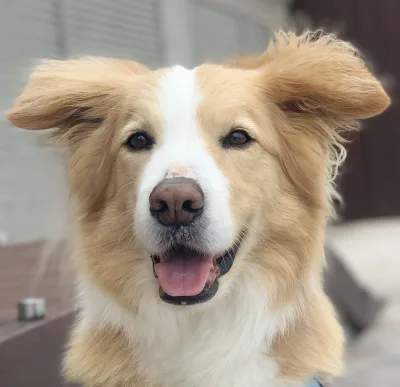
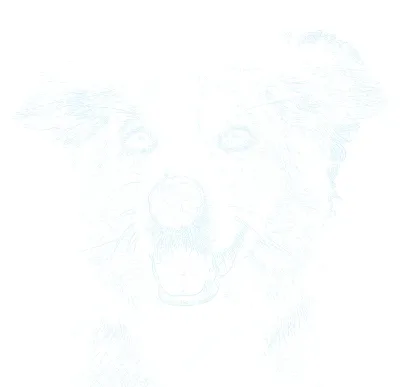
Actual Sketchso output
A photo to sketch. Ready for your next step.
Keep the shapes and proportions from your photo, then decide how much detail to draw. Sketchso makes line-based outlines; you add the shading, paint and finishing touches.
- PNG: save the outline for your own layout or drawing workflow.
- PDF: choose A4 or Letter, portrait or landscape. Fit one sheet or set a larger artwork size.
- Reference: keep your original photo alongside the outline.
Studio $7.99/mo USD, billed monthly, includes clean downloads and printing. A $2.99 USD Day Pass is also available. Preview your own result before joining.
Compare Day Pass and StudioTurn Any Image Into a Clean, Printable Outline
Most outline converters give you one result and no way to change it. This one lets you decide how much of the photo survives: keep only the silhouette for a bold stencil, add the interior features that carry a likeness, or hold full contour detail for a complex reference. Normal outline conversion happens on your device; optional background removal uses a cloud service.
How to Convert an Image to an Outline
Upload the image you want outlined
Drop in any JPG, PNG, or WebP. The normal outline conversion runs in your browser. Optional cloud background removal is explained separately.
Set how much detail the outline keeps
Choose between a bare silhouette, key features only, or full contour detail. Adjust line weight, softness, and colour to suit the paper you are printing on.
Print the outline or download it
Check your outline, then choose a Day Pass or Studio for PNG and PDF downloads. Fit the PDF to A4 or Letter, or set custom dimensions for a larger tiled print.
Print cleanly before you commit to expensive materials
Always test one sheet on regular paper first to check size, orientation, and line visibility. That quick pass usually saves more time and materials than any other printing habit.
Works well with
- Regular printer paper and copy paper
- Cardstock around 110lb
- Drawing paper and bristol board
- Watercolor paper on printers that support thicker stock
Printer notes
- Inkjet printers usually handle heavier papers better.
- Laser printers are best reserved for lighter paper and cardstock.
- Match your printer settings to the sheet you are using.
- Check orientation and scale before printing the final surface.
Why Artists Love Sketchso
A premium setup tool for artists who want the start of the process to feel calmer, more accurate, and less wasteful.
Faster starts
Save the tracing energy for the parts that matter
Get to composition, paint handling, edges, and color decisions without spending the first hour rebuilding the reference by hand.
Cleaner guides
Built for real paper, paint, pencil, and canvas prep
The outlines are tuned to stay usable on the page without turning the finished piece into something that feels digitally filtered.
Preview first
See the result before you decide to unlock exports
Check the outline from your own photo, then choose a one-off Day Pass or Studio plan for PNG and PDF downloads.
What Makes a Good Outline, and Why Most Tools Miss It
A usable outline is not simply a photo with the colour removed. It has to separate the edges that describe form from the noise that describes texture, close the gaps a threshold leaves behind, and land at a weight your paper and medium can carry. Those are the three places automatic converters usually fail.
Adjustable outline opacity and color for watercolor, acrylic, oil, or colored pencil.
Clean edge detection and shape recognition — convert any image to sketch without noisy artifacts.
Accurate proportions so the structure stays consistent from your reference photo to the finished work.
Adjustable detail levels for every style — from calm outline sketches to more descriptive feature-rich guides.
Print-ready sketch output for the paper sizes and canvas dimensions artists use most.
Perfect for Every Skill Level
Beginners
Use Contour Only or lighter settings to keep the page calm and focus on proportion, placement, and confidence.
Intermediate artists
Use Simplify-style settings to keep the major forms while leaving room for interpretation, texture, and your own finishing language.
Professional workflows
Dial in the exact amount of structure you want, keep proportions clean, and move quickly from reference to a polished studio setup.
Frequently Asked Questions
What people usually want to know before converting an image to an outline they intend to print.
How do I convert an image to an outline?
Upload the image, choose how much detail you want the outline to keep, and check the result before purchasing. Sketchso follows the edges and contours of the photo and returns an adjustable outline you can prepare for printing.
What does an outline download include?
A $2.99 USD Day Pass includes watermark-free PNG and PDF downloads for 24 hours, without a subscription. Choose A4 or US Letter, set the orientation, and optionally include your reference photo in the PDF. Studio is $7.99 USD per month. Preview your result before purchasing.
What is the difference between an outline and a sketch?
A sketch effect imitates the look of a finished drawing, with shading and texture. An outline keeps only the edges and contours, which is what you want if you plan to draw, paint, or trace over it yourself rather than display the file.
Can I control how detailed the outline is?
Yes. You can restrict the outline to the silhouette, include key interior features, or keep full contour detail, and adjust line thickness, opacity, and colour independently of that.
Can I print the outline at a specific paper size?
Yes. Set the target print size and orientation before exporting, and the outline is scaled to that sheet so proportions stay correct on paper rather than on screen.
Does the image get uploaded to a server?
Normal outline conversion runs on your device. Optional background removal sends the photo to a cloud service. When you export while signed in, the outline is saved in your private library.
What file types can I convert to an outline?
JPG, PNG, and WebP files up to 10MB. Clearly lit photographs with good separation between the subject and the background produce the cleanest outlines.
Will the outline be visible in my finished work?
You control line opacity and colour, so the outline can be set faint enough to disappear under paint, ink, or pencil. Coverage varies by medium, so make a test print before committing to final materials.
Ready to create amazing artwork?
Keep the finished piece handmade. Just make the setup feel easier.
Start with your own photo, choose the lines you need and check the result. Get PNG and printable PDF downloads with a Day Pass or Studio plan when you are ready.