Photo to Pencil Sketch Converter
Convert any reference photo into a printable pencil sketch outline — perfectly tuned for graphite, charcoal, and colored pencil work. Get your structure right so you can focus on rendering. Preview free — no signup. HD download when ready.
Drop your photo here to start
JPG, PNG or WebP — drag in or click to browse
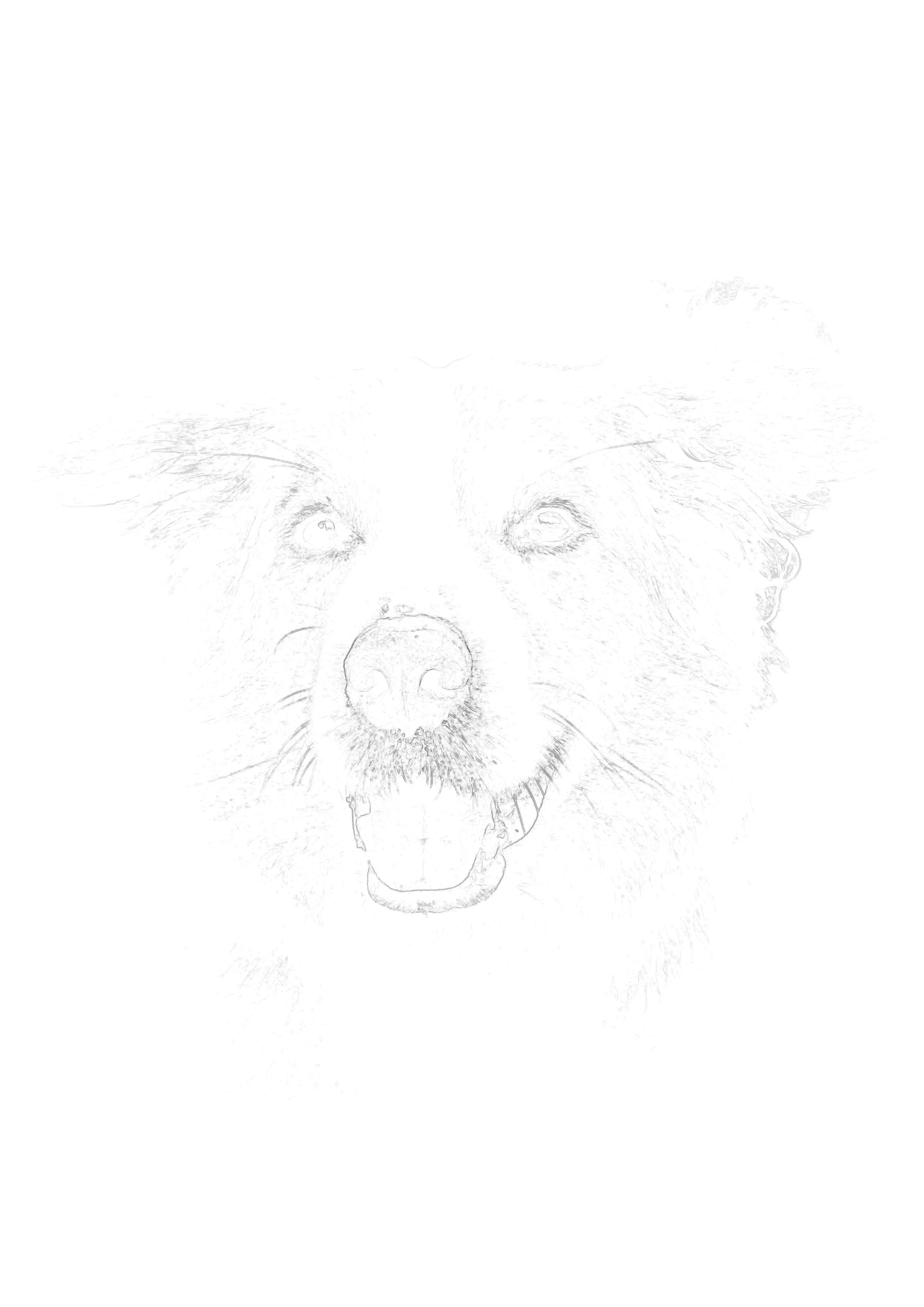
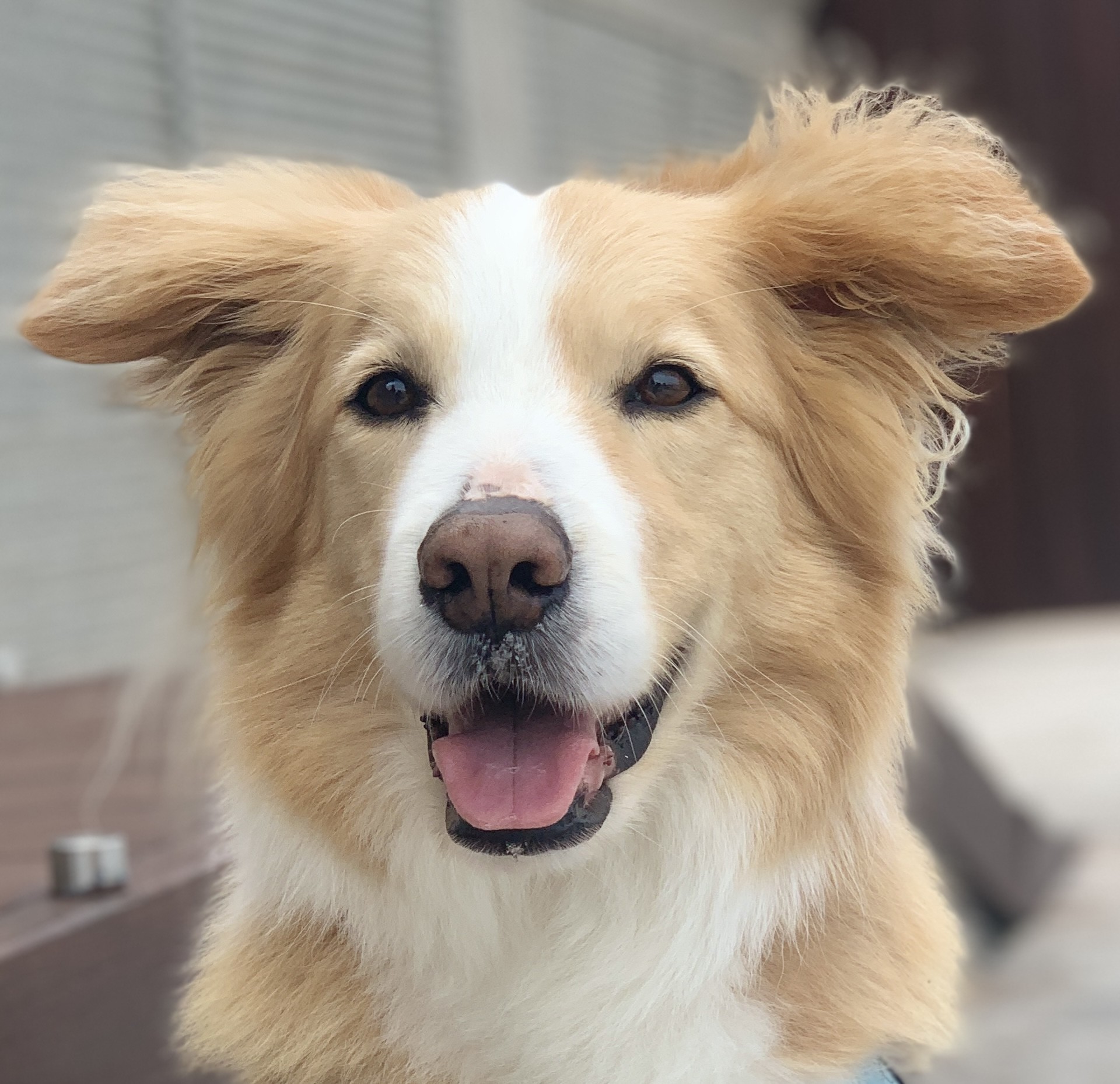
Light, erasable outline
Tunable detail level
Print on drawing paper
Vanishes under graphite
Why Pencil Artists Use Photo-to-Sketch Outlines (And Why the Pros Have Always Done It)
Pencil drawing is a study in values — the relationship between the darkest darks and the lightest lights in a subject. The true art of a graphite portrait isn't in drawing a technically accurate line; it's in observing and rendering the incredibly subtle gradients of tone that exist between shadow and highlight. The problem is that if you spend the first two hours of a session wrestling with proportions, you arrive at the actual drawing exhausted and with little creative energy left for the rendering.
This is not a new problem, and artists have been solving it for centuries. Before the digital age, professional illustrators used opaque projectors ("balopticons") to project a reference photo directly onto a piece of board or paper and trace the major lines. Comic book artists of the 1950s and 60s routinely used lightboxes and photo-stats to transfer accurate layouts before inking. The great realist painters used camera obscuras and camera lucidas as compositional tools.
A photo to pencil sketch converter is simply the modern, affordable equivalent of all of these tools. Instead of needing a $300 opaque projector or a $150 lightbox, you upload your photo, print an ultra-light outline guide directly onto your drawing paper, and immediately begin the part of drawing that actually requires skill: observing and rendering tone.
How to Tune Your Sketch Outline for Different Pencil Mediums
One of the most powerful features of Sketchso is that its output is tunable. The exact outline that's perfect for a detailed graphite portrait is completely different from what you'd want for a loose charcoal figure study. Here's how to set the sensitivity slider correctly for each pencil-based medium.
For Graphite Pencil (HB – 6B)
Graphite drawing lives in the fine details — the subtle edge of a nostril, the precise corner where the eyelid meets the lash line, the barely-there crease of a laugh line. For graphite work, you want your outline to capture as many of these subtle tonal edges as possible. Set the Sketchso sensitivity slider to a medium-high to high setting. You'll get a more detailed network of lines, but because they're printed at 10-15% opacity, none of them will be harsh enough to fight your pencil strokes. Think of it as a ghost map of every edge in the photograph.
For Charcoal (Vine, Willow, or Compressed)
Charcoal drawing is an expressive, gestural medium. It rewards boldness and punishes timid, scratchy linework. For charcoal, the last thing you want is a complex, tight outline full of fine detail — you'd spend all your time trying to follow it and lose the spontaneity that makes charcoal so beautiful. Instead, drop the sensitivity slider to a low setting. You'll get a clean, bold, simplified structural outline: the major shapes of the head, the placement of the eyes, the curve of the jaw. This acts as a loose scaffolding for your charcoal masses without ever constraining your mark-making.
For Colored Pencil (Wax-Based or Oil-Based)
Colored pencil artists often work on smooth bristol board or toned paper, and unlike graphite or charcoal, colored pencil strokes are very difficult to erase. This means your outline needs to be absolutely accurate because you can't easily fix a major proportion error once you've started laying down color. For colored pencil work, use a medium to medium-high sensitivity setting. The printed outline provides the precision you need to map your shadow shapes and value zones before you commit to color, while remaining light enough to be completely covered by even a single layer of wax-based pencil.
Choosing the Right Drawing Paper for Your Printed Pencil Outline
One of the biggest questions artists have when they first try printing a sketch outline is: "Can my printer handle my drawing paper?" The answer is yes — in most cases — but the technique matters. Here's what you need to know to get the outline perfectly placed on your chosen drawing surface.
Bristol Board and Smooth Drawing Paper (Up to 100lb / 270gsm)
Most modern inkjet printers can handle Bristol board (smooth or vellum surface) and heavy drawing paper up to around 100lb without any special configuration. Simply load the sheet into the rear manual-feed tray (if your printer has one) or carefully feed it through the main tray. Set your paper size in the printer dialog to match your sheet dimensions and ensure you are printing at a very low opacity (10-15%). The ink deposit will be so minimal that it won't interfere with your pencil or colored pencil at all, and will be completely hidden under even light shading.
Toned Paper (Strathmore 400 Series Toned Gray / Tan)
Toned paper is a favorite among colored pencil and charcoal artists because the mid-tone ground does half the value work for you. You can print a Sketchso outline directly onto toned Strathmore 400 series paper. Because the paper is already a mid-tone, the faint printed lines are barely visible, acting purely as a structural ghost for your marks. This workflow is perfect for three-value drawings: dark shadows, mid-tone ground, and white pencil highlights.
When You Can't Print Directly: The Graphite Transfer Method
If you are working on a very large format or on a surface that simply can't fit through a printer (like a stretched canvas or wooden cradled board), use the graphite transfer method. Print your Sketchso outline at a slightly higher opacity (around 40%) on cheap copy paper. Flip it over and cover the back entirely with a 4B or 6B pencil. Tape the print face-up to your drawing surface, trace firmly over the printed lines with a ballpoint pen, and peel back the paper. The graphite on the back transfers cleanly to your surface. Any excess can be easily erased with a kneaded eraser without damaging the drawing surface.
One Tool, Every Pencil Medium
The same outline engine powers every style. Tune the detail slider once and get a guide perfectly matched to how you draw.
Graphite Portrait
High-sensitivity setting captures every subtle edge — eyelids, nostrils, jaw creases — for hyper-realist graphite portraits.
Slider: Medium-HighCharcoal Figure
Low-sensitivity setting gives you bold, simplified structural shapes — perfect scaffolding for expressive charcoal gesture drawings.
Slider: LowColored Pencil
Medium setting maps your shadow zones with precision, giving you the structural accuracy you need before committing to color.
Slider: MediumTrusted by artists who paint from photos
Free preview, no signup required
"I recommend Sketchso to all my students. Unlike other tools that do the art FOR you, this helps students learn while creating authentic work. The educational value is incredible."
Jennifer K.
Art Teacher
"Finally feel confident tackling complex subjects. My art has never looked better! The free version is generous, and the premium features are worth upgrading for."
Emma L.
Hobbyist Artist
"Perfect for pet portraits! The detail preservation is excellent, especially for fur textures. My clients are thrilled with the results."
James W.
Pet Portrait Artist
Frequently Asked Questions
How do I convert a photo to a pencil sketch for drawing?
Upload your reference photo to Sketchso, adjust the sensitivity slider to match your medium (high for graphite detail, low for charcoal simplicity), preview the outline free, then download and print it at 10-15% opacity onto your drawing paper. Draw or shade directly over the guide — it disappears completely under your pencil strokes.
Step-by-Step Process:
- 1Upload your reference photo to Sketchso
- 2Tune the sensitivity slider for your medium (graphite = high, charcoal = low)
- 3Preview your pencil sketch outline — completely free
- 4Download and print at 10-15% opacity on your drawing paper
- 5Shade over the guide — it vanishes under your pencil
Will the printed outline show through my pencil or graphite shading?
No. When printed at 10-15% opacity, the ink deposit is so light that even a single layer of HB or 2B pencil shading completely covers it. The lines are invisible in the final drawing. Many artists print slightly darker (20%) for charcoal or oil pastel work where the marks are inherently bolder.
What's the difference between using Sketchso and just applying a pencil filter in Photoshop?
A Photoshop pencil filter creates a finished digital effect designed to look like a sketch on-screen. Sketchso creates a functional structural guide designed to be physically printed and drawn over. The output is not meant to look like a sketch — it's meant to be a nearly invisible foundation for your real, hand-drawn artwork.
Can I use the pencil sketch outline on toned paper?
Yes. Toned paper (like Strathmore 400 series toned gray or tan) feeds through most inkjet printers easily. Because the paper is already a mid-tone, the faint printed outline is almost completely invisible, acting as a subtle ghost. This is a very popular workflow for colored pencil artists doing three-value drawings.
What if my printer can't handle thick drawing paper?
Use the graphite transfer method instead. Print your Sketchso outline at 40% opacity on standard copy paper. Scribble a 4B pencil all over the back, tape it face-up to your drawing surface, trace over the lines with a ballpoint pen, and peel it away. The graphite transfers cleanly and can be partially erased with a kneaded eraser if needed.
How is the Sketchso slider different for portrait work versus landscapes?
For portraits (faces, pets), a medium-high sensitivity captures the critical contour edges of facial features — the transitions around eyes, nostrils, lips, and jaw. For landscapes, a lower setting works better because you want to capture major shapes (horizon lines, tree silhouettes, rock edges) without creating a messy tangle of leaf and foliage detail.
Is the photo to pencil sketch converter free to use?
You can upload any photo and preview the pencil sketch outline in your browser completely free with no account needed. To download the high-resolution, print-ready file without watermarks, a Sketchso subscription is required.
Explore the next best page for this workflow
Generate pencil-style sketch outlines from your photographs for graphite and charcoal drawing.
Related tool pages
Guides that support this intent
Pencil Drawing Outlines
How to use outlines to guide graphite and charcoal drawings.
How to Draw from Reference Photos
Translate a photo reference into a hand-drawn pencil portrait.
Light Box Alternative
Why printing a light outline beats tracing over a lightbox.
Start Your Pencil Drawing with Perfect Proportions
Upload your photo, preview your sketch outline free, and spend your energy on the part that matters — the rendering.
Drop your photo here to start
JPG, PNG or WebP — drag in or click to browse
Preview free • HD download • No signup to try