How to Convert Photo to Sketch
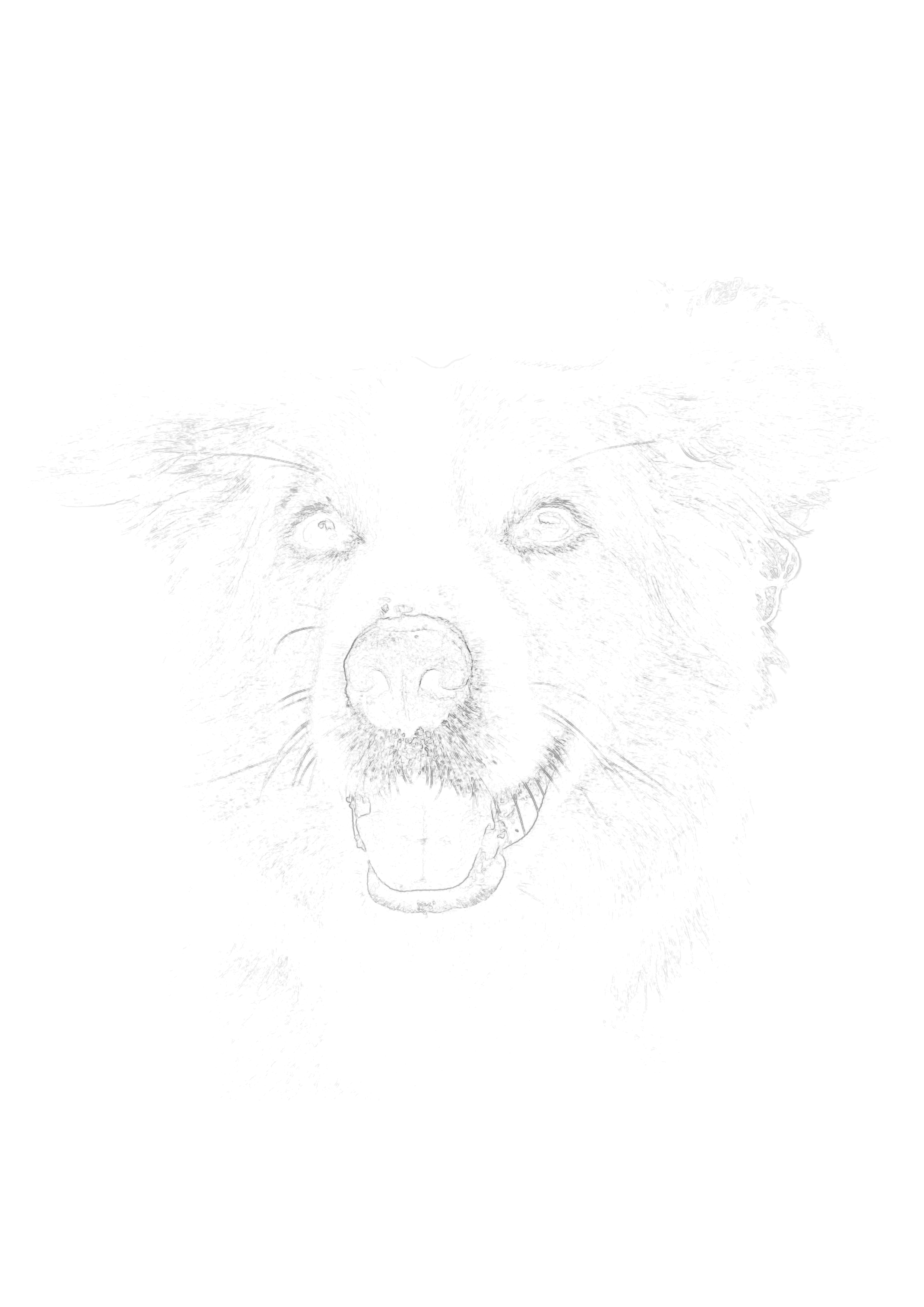
Convert portraits, pets, and reference photos into clean sketch outlines for tracing, drawing, and painting. Preview free — no signup needed. HD download, ready to print.
Drop your photo here to start
JPG, PNG or WebP — drag in or click to browse
Results in 3 seconds
HD downloads when ready
Works with any art medium
No signup to preview
Mastering Proportions with Photo to Sketch Conversion
Every artist, regardless of their skill level, has experienced the frustration of getting halfway through a beautiful painting only to realize the proportions are entirely wrong. The eyes on the portrait are too far apart, or the jawline on the pet is misaligned. Correcting structural mistakes deep into the painting process is nearly impossible. This is why professional artists rely on a photo to sketch converter to establish a flawless foundation.
The Danger of the "Blank Page"
Staring at a blank, expensive sheet of watercolor paper can be intimidating. This intimidation often leads to tight, anxious drawing, which inevitably causes proportion errors. By using a tool to generate a light, invisible tracing outline from your reference photo, you remove the anxiety of the blank page. You lock in the architecture of the drawing instantly.
Focusing on Value, Not Math
Art is primarily about the observation and rendering of values (light and shadow) and color theory. When you spend hours agonizing over the geometry and math of where an eye should be placed, you exhaust your creative energy before the painting even begins. A generated sketch outline handles the geometry for you, liberating you to focus entirely on the beautiful, expressive rendering of the subject.
The Difference Between Sketching and Tracing for Learning
There is a massive misconception in the art community that tracing a generated sketch outline stunts your growth as an artist. In reality, it accelerates it when used correctly. Understanding the difference between blind tracing and active observation is key.
Blind Tracing (What Not To Do)
Blind tracing is when an artist mindless runs their pencil over an outline without looking at the reference photo or thinking about the 3D structure of the object. If you simply trace the lines generated by the photo to sketch converter without considering *why* those lines exist, you will not learn anything, and your final artwork will look flat and lifeless.
Active Observation (The Professional Method)
Active observation involves using the generated sketch as a physical guide, but keeping your eyes locked onto your original reference photo. As you trace the faint outline of a cheekbone, you look at the photo to understand the lighting and form that creates that edge. The outline simply acts as training wheels, teaching your hand exactly how far a curve should sweep or how steep an angle should be. This repeated physical motion builds incredibly strong muscle memory, which will drastically improve your freehand drawing abilities over time.
How to Transfer and Paint Your Generated Sketch Outline
Once you have used the photo to sketch converter to generate your perfect outline, how do you get it onto your canvas or thick art paper? You have three main options, depending on your setup and medium.
Method 1: Direct Inkjet Printing
This is the easiest and cleanest method, favored by watercolorists and pencil artists. Most modern inkjet printers have a rear-feed tray designed for thick paper. Trim your 140lb watercolor paper to standard letter size (8.5x11 inches), feed it into the printer, and print the generated sketch at a very low opacity (10-15%). The faint lines will disappear under your first wash.
Method 2: The Graphite Transfer Method
If you are working on a stretched canvas or a wood panel that cannot fit in a printer, you must transfer the sketch manually. Print the sketch on cheap computer paper. Flip the paper over and aggressively scribble a soft graphite pencil (4B or 6B) across the back, covering the lines. Tape the paper, right-side-up, to your canvas. Trace firmly over the printed lines with a ballpoint pen. The pressure will transfer the graphite from the back onto your canvas, leaving a perfect guide.
Method 3: The Digital Workflow
Many digital artists use the photo to sketch converter to speed up their workflow in apps like Procreate or Photoshop. Simply generate the sketch, download the high-resolution PNG, and import it as the bottom layer in your digital canvas. Lower the layer opacity, lock it, and begin painting on the layers above it. It's the ultimate time-saver for digital illustration.
How Photo to Sketch Works
Upload Photo
Drag and drop any photo—portraits, pets, landscapes, or objects.
Adjust Settings
Use the sensitivity slider to control line detail and darkness.
Print Outline
Print directly on your art paper (90-160gsm recommended).
Create Art
Draw over the outline with any medium. It disappears!
Rated 5/5 by Artists
Join 10+ artists who use Sketchso for their creative work
"I went from struggling with proportions to creating beautiful portraits in just one week! The invisible outlines disappear perfectly under watercolor. This tool has transformed my art practice."
Sarah M.
Watercolor Artist
"The background removal feature alone is worth the subscription. Combined with adjustable sensitivity, it's perfect for detailed pencil work. Highly recommended!"
David P.
Pencil Artist
"Cut my sketching time in half while improving accuracy. Game changer for my art business! I can take on more commissions now."
Robert T.
Portrait Artist
Frequently Asked Questions
How do I convert a photo to sketch?
Converting a photo to sketch is simple with Sketchso: 1) Upload any photo (JPG, PNG, or WebP), 2) Adjust the sensitivity slider for more or less detail, 3) Preview your sketch outline instantly. The entire process takes seconds — no signup needed. Subscribe to download and print in HD.
Step-by-Step Process:
- 1Upload your photo (JPG, PNG, or WebP)
- 2Adjust sensitivity for desired detail level
- 3Preview your sketch outline — free
- 4Subscribe to download & print in HD
How do I convert a photo to a sketch?
Upload your photo to Sketchso, adjust the sensitivity slider for your preferred line detail, and preview your sketch outline instantly — no signup needed. It takes less than 10 seconds. Subscribe to download and print in HD.
Is the photo to sketch converter free to try?
Yes — you can upload any photo and preview the sketch outline with no signup or payment. To download, print, or export the high-resolution file without watermarks, a Sketchso subscription is required.
What's the best photo to sketch converter for artists?
Sketchso is rated 4.9/5 by artists because it creates invisible tracing outlines that disappear under your artwork — unlike other tools that just add messy Instagram-style filters. Your final artwork looks 100% hand-drawn and authentic.
Can I use the sketch for tracing on canvas?
Absolutely. Sketchso creates light outline guides specifically designed for tracing. Print on your art paper or transfer it to a canvas, then draw or paint over it. The faint outline disappears under pencil, watercolor, charcoal, or any medium.
Will the sketch lines show in my final artwork?
No. We recommend printing Sketchso outlines at 12-15% opacity — so light they disappear completely under your drawing medium. Your final artwork will have no visible guide lines or mechanical artifacts.
Can I convert a JPG photo to a sketch?
Yes. Sketchso accepts JPG, PNG, and WebP image files. Just drag-and-drop your photo or browse to upload. Higher resolution photos with good contrast will produce finer, more detailed sketch outlines.
What's the difference between a photo to sketch converter and a photo filter app?
Photo filter apps apply artificial, messy digital textures so the photo looks like a sketch on social media. Sketchso creates a real, functional, structural tracing outline designed specifically for painters and drawers to use as a physical foundation.
Explore the next best page for this workflow
Explore the free, online, traceable, and outline variants around this core photo-to-sketch intent.
Related tool pages
Free Photo to Sketch Converter
Own the free-preview intent before download.
Convert Photo to Sketch Online
Best match for browser-only and no-download searches.
Turn Photo into Traceable Sketch
Best fit for invisible outline and painting-prep searches.
Guides that support this intent
Complete Guide to Invisible Tracing Outlines
Understand the workflow behind Sketchso outlines.
How to Draw from Reference Photos
Turn better references into better finished artwork.
Ultimate Drawing Guide
Broader drawing fundamentals to support conversions.
Ready to Convert Your Photo to Sketch?
Convert any photo into a clean sketch outline you can trace, paint, or print today.
Drop your photo here to start
JPG, PNG or WebP — drag in or click to browse
Preview free • HD download • No signup to try